If you’re planning to trade with XM, one of the first decisions you’ll make is choosing the right account type.
XM offers several account types, each designed for different trading styles. While having multiple options is beneficial, it can also make the decision difficult—especially for beginners.
The good news is that most traders only need to compare three main accounts: Standard, Ultra Low, and Zero.
This guide helps you quickly identify the best account based on your experience and trading style, without overwhelming you with unnecessary details.
Important: Available account types, trading conditions, leverage, instruments, promotions, and payment methods may vary depending on your country of residence and the XM entity you register with. Always confirm the latest information on the official XM website before opening an account.
\Just 3 minutes!!/
- XM Account Types at a Glance
- Quick Recommendation: Which XM Account Should You Choose?
- Why XM Offers Multiple Account Types
- Understanding the Three Main XM Account Types
- How to Compare XM Account Types
- Which XM Account Fits Your Trading Style?
- Can You Open More Than One XM Account?
- Can’t Decide? Start with Standard
- Managing Your XM Account
- Common Mistakes When Choosing an XM Account
- A Simple Decision Guide
- Key Takeaways
- XM Account Types FAQ
- 1. Which XM account is best for beginners?
- 2. Is Ultra Low better than Standard?
- 3. Is Zero Account the cheapest?
- 4. Can I change my XM account type later?
- 5. How many XM accounts can I open?
- 6. Which account is best for Gold trading?
- 7. Which account is best for Expert Advisors (EA)?
- 8. Should I choose MT4 or MT5?
- How to Open an XM Account
- Final Verdict: Which XM Account Should You Choose?
- Ready to Start Trading with XM?
- Conclusion
- Before You Open an XM Account
- Why Traders Choose XM
- Open Your XM Account Today
XM Account Types at a Glance
| Account Type | Spread | Commission | Best For | MT4 | MT5 |
|---|---|---|---|---|---|
| Standard | Standard spreads | No | Beginners & most traders | ✔ | ✔ |
| Ultra Low | Lower spreads | No | Active traders | ✔ | ✔ |
| Zero | Ultra-low spreads | Yes | Scalping & EA | ✔ | ✔ |
| Micro* | Standard spreads | No | Small-capital traders | ✔ | ✔ |
| Shares* | Varies | Varies | Stock investors | MT5 (availability varies) |
*Availability depends on your region.
Quick Recommendation: Which XM Account Should You Choose?
| If you are… | Recommended Account |
|---|---|
| Completely new to Forex | ⭐ Standard |
| Not sure which account to choose | ⭐ Standard |
| Active day trader | Ultra Low |
| Gold (XAU/USD) trader | Ultra Low |
| Scalper | Zero |
| EA (Expert Advisor) user | Ultra Low or Zero |
| Swing trader | Standard |
| Small-capital trader | Micro (where available) |
| Stock trader | Shares (where available) |
Still undecided?
Choose the Standard Account.
It offers the simplest pricing structure, suits most trading strategies, and you can always open additional XM accounts later if your trading style changes.
\Just 3 minutes!!/
Why XM Offers Multiple Account Types
Different traders have different priorities.
Some want the lowest possible trading costs.
Others prefer a simple pricing structure without commissions.
Some use automated trading systems, while others hold positions for days or weeks.
Instead of offering one account for everyone, XM provides multiple account types to match different trading needs.
For most traders, understanding the differences between spread, commission, and trading frequency is enough to choose the right account.
Understanding the Three Main XM Account Types
Standard Account
The Standard Account is XM’s most popular option and is recommended for the majority of traders.
Key Features
- No trading commission on most instruments
- Simple pricing through spreads
- Supports both MT4 and MT5
- Suitable for Forex, Gold, Indices, Commodities, and CFDs
Best For
- First-time traders
- Swing traders
- Casual traders
- Anyone looking for a straightforward trading experience
The biggest advantage is simplicity.
You don’t need to calculate commission costs separately, making it much easier to understand your trading expenses.
Ultra Low Account
Ultra Low is designed for traders who trade more frequently and want lower spreads.
Although the difference in spread may seem small, it can significantly reduce trading costs over hundreds of trades.
Key Features
- Lower spreads than Standard
- No commission on most instruments
- Available on MT4 and MT5
Best For
- Day traders
- Active Forex traders
- Gold traders
- Traders who open multiple positions daily
If you trade every day, Ultra Low is often a better choice than Standard.
Zero Account
Zero Account combines very low spreads with a commission-based pricing model.
Instead of paying wider spreads, you pay a trading commission.
Key Features
- Very low spreads
- Commission charged per trade
- Available on MT4 and MT5
Best For
- Scalpers
- High-frequency traders
- Certain EA strategies
Remember that the lowest spread doesn’t always mean the lowest total trading cost.
Always compare the combination of spread and commission.
\Just 3 minutes!!/
How to Compare XM Account Types
Choosing the right XM account isn’t just about finding the lowest spread.
To make the right decision, you should understand five key factors:
- Spread
- Commission
- Minimum Deposit
- Base Currency
- Trading Style
Let’s look at each one.
Spread
A spread is the difference between the buy (Ask) and sell (Bid) price.
In general:
- Lower spreads = lower trading costs
- Higher spreads = higher trading costs
However, spread should never be evaluated by itself.
For example, Zero Account usually offers lower spreads than Standard Account, but it also charges a commission.
Always compare the total trading cost, not just the advertised minimum spread.
Commission
XM mainly uses two pricing models.
Spread-only model
- Standard
- Ultra Low
These accounts generally do not charge a separate trading commission on most products.
Spread + Commission model
- Zero
This model is often preferred by experienced traders who want tighter spreads and understand commission-based pricing.
For beginners, spread-only accounts are usually easier to manage.
Minimum Deposit
XM’s minimum deposit requirement is relatively low, making it accessible for new traders.
However, the minimum deposit should not determine which account you choose.
Instead, consider:
- Your trading strategy
- Risk management
- Position size
- Available trading capital
A larger account with proper risk management is generally more important than simply meeting the minimum deposit requirement.
Base Currency
When opening an account, you’ll choose a base currency such as:
- USD
- EUR
- GBP
- JPY
Your base currency affects:
- Account balance
- Profit and loss calculations
- Margin calculations
- Currency conversion costs
If you mainly deposit and trade in US dollars, choosing USD is usually the simplest option.
Because the base currency generally cannot be changed later, it’s worth selecting carefully when opening your account.
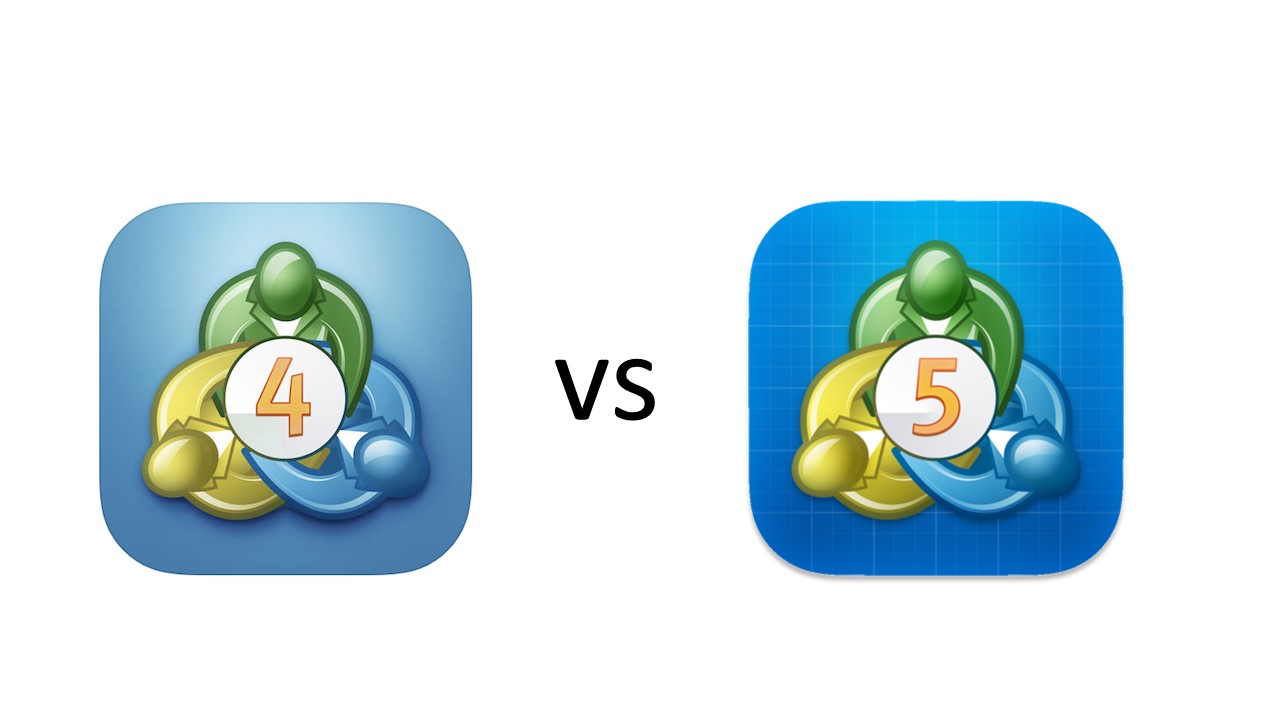
MT4 or MT5?
Many beginners confuse the trading platform with the account type.
These are different things.
- Standard, Ultra Low, and Zero are account types.
- MT4 and MT5 are trading platforms.
Most XM account types are available on both MT4 and MT5.
Choose MT4 if you:
- Already use MT4
- Have existing Expert Advisors
- Use MT4 indicators
Choose MT5 if you:
- Are new to trading
- Want newer platform features
- Need more built-in indicators and timeframes
For most new traders in 2026, MT5 is the recommended choice.
Which XM Account Fits Your Trading Style?
Choosing an account becomes much easier once you know how you trade.
Best for Beginners
Recommended: Standard Account
Why?
- Simple pricing
- No commission on most instruments
- Easy to understand
- Suitable for learning MT4 or MT5
If this is your first live trading account, Standard is usually the safest choice.
Best for Active Traders
Recommended: Ultra Low Account
If you trade every day or open multiple positions, lower spreads can reduce your trading costs over time.
Ultra Low is often the preferred option for active Forex and Gold traders.
Best for Scalping
Recommended: Zero Account
Scalping strategies rely on small price movements.
Lower spreads are important, making Zero a popular choice.
Just remember to include commissions when calculating trading costs.
Best for EA Trading
Recommended: Ultra Low or Zero
The best choice depends on your EA.
Some automated strategies benefit from tighter spreads, while others perform well with commission-free pricing.
Always test your EA on a demo account before trading live.
Best for Swing Trading
Recommended: Standard Account
Swing traders usually hold positions for several days.
Since trading frequency is lower, the difference in spread often has less impact than it does for scalpers or day traders.
Best for Gold Trading
Recommended: Ultra Low
Gold (XAU/USD) is one of XM’s most traded instruments.
Because many Gold traders enter and exit positions frequently, Ultra Low often provides better long-term trading costs.
Can You Open More Than One XM Account?
Yes.
One advantage of XM is that clients can usually open multiple trading accounts under the same Members Area, subject to XM’s current terms and regional rules.
Many experienced traders use multiple accounts, for example:
- Standard for swing trading
- Ultra Low for day trading
- Zero for scalping
- A separate account for testing new EAs
This keeps strategies organized and makes performance tracking much easier.
Can’t Decide? Start with Standard
Many traders worry about making the wrong choice.
Fortunately, choosing your first account isn’t permanent.
If your trading style changes later, you can usually open an additional XM account instead of creating a completely new profile.
For most beginners:
- Standard offers the easiest learning experience.
- It supports almost every popular trading instrument.
- It requires the least understanding of commission structures.
- It works well for both manual trading and learning platform basics.
That’s why Standard remains the best starting point for most new XM clients.
\Just 3 minutes!!/
Managing Your XM Account
Choosing the right account is only the first step.
Many traders also want to know:
- Can I change my account type later?
- How many accounts can I open?
- What if my trading style changes?
- What mistakes should I avoid?
Here’s what you need to know.
Can You Change Your XM Account Type?
Generally, no.
Once a trading account has been created, you usually cannot convert it into another account type.
For example:
- Standard → Ultra Low ❌
- Ultra Low → Zero ❌
- Zero → Standard ❌
If you decide another account type better suits your trading style, the usual solution is simply to open an additional trading account.
The good news is that you don’t need to register a completely new XM profile.
Can You Open Multiple XM Accounts?
Yes.
XM generally allows clients to hold multiple trading accounts under one Members Area, subject to the latest company policies and regional restrictions.
This is a feature many experienced traders take advantage of.
For example:
| Trading Purpose | Recommended Account |
|---|---|
| Learning Forex | Standard |
| Daily trading | Ultra Low |
| Scalping | Zero |
| EA testing | Separate account |
| Long-term trading | Standard |
Using separate accounts helps you:
- Keep strategies organized
- Manage risk more effectively
- Track performance more accurately
- Test new trading ideas without affecting your main account
When Should You Open a Second Account?
Opening another account makes sense if:
- You start using an EA.
- You move from swing trading to scalping.
- You want to separate manual trading from automated trading.
- You want to test a new strategy with different trading conditions.
Many professional traders manage several accounts rather than trying to do everything in one account.
Choosing the Right Base Currency
Your account’s base currency is selected during registration.
Common options include:
- USD
- EUR
- GBP
- JPY
For most international traders, USD is the most practical choice because many Forex pairs and commodities are priced in US dollars.
If you regularly deposit in another currency, choosing that currency may also reduce conversion costs.
Since the base currency usually cannot be changed later, take a moment to choose carefully.
Should You Choose MT4 or MT5?
Both platforms are reliable, but they suit different traders.
Choose MT4 if you:
- Already use MT4
- Have existing custom indicators
- Trade with older Expert Advisors
Choose MT5 if you:
- Are starting from scratch
- Want more built-in indicators
- Need additional chart timeframes
- Prefer newer platform technology
Unless you specifically require MT4 compatibility, MT5 is generally the better long-term choice.
Common Mistakes When Choosing an XM Account
Avoiding a few common mistakes can save both time and money.
Choosing the Lowest Spread Without Looking at Commission
Many beginners immediately choose Zero because they see spreads from 0.0 pips.
However, Zero also charges commission.
Always compare the total trading cost, not just the spread.
Choosing an Account Based on Someone Else’s Recommendation
An account that works well for a scalper may not suit a swing trader.
Choose an account based on:
- Your trading frequency
- Your preferred instruments
- Your strategy
- Your experience level
Ignoring Risk Management
The account type is important—but it’s far less important than proper money management.
Successful traders focus on:
- Position sizing
- Stop-loss placement
- Risk per trade
- Consistency
These factors have a much greater impact on long-term results than choosing between Standard and Ultra Low.
Using Maximum Leverage Immediately
High leverage increases both potential profits and potential losses.
Beginners should avoid selecting the highest available leverage simply because it’s offered.
Use leverage that matches your experience and risk tolerance.
A Simple Decision Guide
If you’re still unsure, this quick guide should help.
| Your Situation | Recommended Account |
|---|---|
| First live account | ⭐ Standard |
| Unsure which account to choose | ⭐ Standard |
| Active Forex trader | Ultra Low |
| Gold trader | Ultra Low |
| Scalper | Zero |
| EA trader | Ultra Low or Zero |
| Swing trader | Standard |
For most people, the answer is surprisingly simple:
Start with Standard.
As your trading experience grows, you can always add another account designed for your evolving strategy.
Key Takeaways
Before opening an XM account, ask yourself these five questions:
- Am I a beginner or an experienced trader?
- How often will I trade?
- Will I use manual trading or an EA?
- Do I prefer simple pricing or the lowest possible spread?
- Which platform will I use—MT4 or MT5?
Answering these questions usually makes the right account choice obvious.
Ready to Choose Your XM Account?
If you’re still deciding, the Standard Account is the best starting point for most beginners. You can always open additional accounts later as your trading strategy develops.
\Just 3 minutes!!/
XM Account Types FAQ
Below are the questions traders search for most often before opening an XM account.
1. Which XM account is best for beginners?
For most new traders, the Standard Account is the best choice.
It offers:
- No commission on most instruments
- Simple pricing
- Support for MT4 and MT5
- Access to the most popular trading products
You can always open another account later if your trading style changes.
2. Is Ultra Low better than Standard?
Not necessarily.
If you trade frequently, Ultra Low’s tighter spreads may reduce your trading costs.
However, if you trade only occasionally or are still learning, the Standard Account is often the more practical option.
3. Is Zero Account the cheapest?
Zero offers very tight spreads, but it also charges commissions.
The lowest spread does not always mean the lowest overall trading cost.
Always compare:
- Average spread
- Commission
- Number of trades you make
4. Can I change my XM account type later?
Generally, no.
Once an account has been created, its account type cannot normally be changed.
Instead, XM usually allows clients to open additional trading accounts under the same Members Area.
This makes it easy to use different accounts for different strategies.
5. How many XM accounts can I open?
XM generally allows clients to open multiple trading accounts, although the maximum number may vary depending on the applicable XM entity and current policies.
Many experienced traders use:
- One account for manual trading
- One for EA trading
- One for strategy testing
Always check the latest limits on the official XM website.
6. Which account is best for Gold trading?
If you actively trade XAU/USD, Ultra Low is often recommended because lower spreads can reduce trading costs.
If you’re new to Gold trading, the Standard Account remains an excellent starting point.
7. Which account is best for Expert Advisors (EA)?
It depends on your trading system.
Many EA users choose:
- Ultra Low
- Zero
The best approach is to test your EA on a demo account before trading live.
8. Should I choose MT4 or MT5?
Both platforms are reliable.
Choose MT4 if you already use MT4 indicators or Expert Advisors.
Choose MT5 if you’re starting from scratch and want access to newer features and more analytical tools.
For most beginners today, MT5 is the recommended option.
How to Open an XM Account
Opening an XM account usually takes only a few steps.


Step 1
Visit the official XM website and click Open an Account.
👉 Open your XM account here: https://www.xm.com
Step 2
Complete the online application by entering:
- Personal details
- Country of residence
- Email address
- Phone number
Step 3
Choose:
- MT4 or MT5
- Your preferred account type
- Base currency
- Leverage
If you’re unsure, choose:
- Standard Account
- USD
- MT5
These settings are suitable for most beginners.
Step 4
Complete identity verification (KYC).
XM typically requires:
- Proof of identity
- Proof of address
Verification helps protect your account and enables deposits and withdrawals.
Step 5
Fund your account using one of the available payment methods for your country.
Available methods vary by region and may include:
- Local bank transfer
- Credit/debit card
- E-wallets
- Other supported payment methods
Always check the latest options on XM’s official website.

Final Verdict: Which XM Account Should You Choose?
For most traders, the decision is actually straightforward.
| Trading Style | Best Choice |
|---|---|
| Beginner | ⭐ Standard |
| Unsure | ⭐ Standard |
| Active Trader | Ultra Low |
| Gold Trader | Ultra Low |
| Scalper | Zero |
| EA Trader | Ultra Low or Zero |
If this is your first live trading account, the Standard Account offers the best balance of simplicity, flexibility, and ease of use.
As your experience grows, you can easily open additional XM accounts for different strategies.
That means you don’t need to find the “perfect” account today—you simply need the right account to start with.
Ready to Start Trading with XM?
Now that you understand the differences between XM account types, the next step is to choose the account that matches your trading style and complete your registration.
For most beginners, the Standard Account remains the safest and simplest starting point.
\Just 3 minutes!!/
Conclusion
Choosing the right XM account doesn’t have to be complicated.
For most traders, your decision can be summarized as follows:
| If you are… | Recommended Account |
|---|---|
| A complete beginner | ⭐ Standard |
| Unsure which account to choose | ⭐ Standard |
| An active Forex or Gold trader | Ultra Low |
| A scalper | Zero |
| An EA trader | Ultra Low or Zero |
The Standard Account is the best starting point for most beginners because it offers:
- Simple pricing
- No commission on most instruments
- Support for both MT4 and MT5
- Access to the most popular trading products
If your trading style changes later, you can usually open additional XM accounts instead of creating a new client profile.
The most important decision isn’t finding the “perfect” account—it’s choosing an account that lets you start trading confidently while matching your current experience and strategy.
Before You Open an XM Account
Use this quick checklist before registering:
- ✓ Choose the account type that matches your trading style.
- ✓ Decide whether you’ll use MT4 or MT5.
- ✓ Select an appropriate base currency.
- ✓ Review the latest trading conditions.
- ✓ Check the available payment methods in your country.
- ✓ Complete identity verification after registration.
Spending a few minutes reviewing these points can help you avoid common mistakes later.
Why Traders Choose XM
Although account type is important, it’s only one part of choosing a broker.
Many traders choose XM because it offers:
- Multiple account types for different trading styles
- MT4 and MT5 support
- A wide range of Forex and CFD products
- Low minimum deposit
- Educational resources for beginners
- Multi-language customer support
Always review the latest products, trading conditions, and regional services on XM’s official website, as these may vary depending on your country of residence.
Open Your XM Account Today
If you’ve reached this point, you should already know which XM account best matches your trading style.
For most first-time traders, the Standard Account is the easiest place to begin.
As your experience grows, you can add Ultra Low or Zero accounts whenever your strategy requires lower trading costs or different pricing.
There’s no need to wait for the “perfect” strategy before opening your account—the most valuable experience comes from learning with the right account and proper risk management.
\Just 3 minutes!!/