Choosing the right trading platform is one of the first decisions to make when you start trading with Exness.
Exness offers several trading platforms and apps, including MetaTrader 4 (MT4), MetaTrader 5 (MT5), Exness Trade, Exness Terminal, MetaTrader WebTerminal and MT4 MultiTerminal. The best option depends on how you trade, which device you use, and whether you need features such as Expert Advisors (EAs) or advanced chart analysis.
For beginners, this range of choices can be confusing.
This guide explains the differences in simple terms and focuses on what matters most before you open an Exness account: which platform to choose, what devices it supports, what you can do with it, and which platform fits your trading style.
- Exness Trading Platforms at a Glance
- MT4 vs MT5: Which Exness Platform Should You Choose?
- Exness Trade App: Best for Mobile-First Traders
- Exness Terminal: Simple Browser-Based Trading
- MetaTrader WebTerminal: MT4 and MT5 Without Installation
- MT4 and MT5 Mobile Apps
- MT4 MultiTerminal: Who Needs It?
- Which Exness Platform Is Best for Your Trading Style?
- What Operating Systems Does Exness Support?
- What About Deposits and Withdrawals?
- Can You Try Exness Platforms Before Trading With Real Money?
- Frequently Asked Questions (FAQ)
- Final Verdict: Which Exness Trading Platform Should You Choose?
Exness Trading Platforms at a Glance
The easiest way to choose an Exness platform is to start with your trading needs rather than the platform’s name.
| Platform | Best For | Automated Trading | Supported Devices |
|---|---|---|---|
| Exness Trade | Beginners and mobile-first traders | No | Android, iOS |
| MT4 Desktop | Forex traders and EA users | Yes | Windows, macOS, Linux |
| MT5 Desktop | Advanced analysis, multi-asset trading and EA users | Yes | Windows, macOS, Linux |
| MT4 Mobile | Existing MT4 users trading on mobile | No | Android, iOS |
| MT5 Mobile | Existing MT5 users trading on mobile | No | Android, iOS |
| Exness Terminal | Simple browser-based trading | No | Web |
| MT4/MT5 WebTerminal | MetaTrader trading without installation | No | Web |
| MT4 MultiTerminal | Managing multiple MT4 accounts | No | Windows |
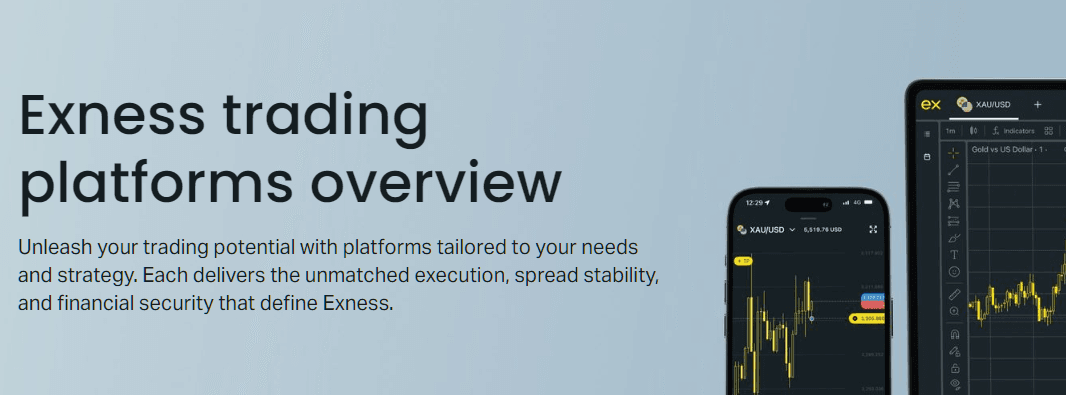
Exness describes its platform ecosystem as covering web, mobile and desktop trading, with different platforms offering different tools and account compatibility. MT4 and MT5 desktop platforms are particularly important for traders who want automated trading or custom indicators.
Quick recommendation
- New to Forex: Exness Trade or MT5
- Want to use EAs or custom indicators: MT4 or MT5 Desktop
- Prefer trading from a browser: Exness Terminal
- Already use MetaTrader: MT4/MT5 WebTerminal or the relevant mobile app
- Need to manage multiple MT4 accounts: MultiTerminal
- Prefer trading from your phone: Exness Trade, MT4 Mobile or MT5 Mobile
For most beginners, there is no need to install every platform. Start with the one that matches your trading style and device.
MT4 vs MT5: Which Exness Platform Should You Choose?
MT4 and MT5 are the two MetaTrader platforms most commonly associated with Forex trading. Although they look similar, they are designed with different levels of functionality.
MT4: A Practical Choice for Forex and EA Traders
MetaTrader 4 (MT4) remains a popular platform for Forex traders because of its familiar interface, charting tools and extensive Expert Advisor ecosystem.
With Exness, MT4 provides access to CFDs including forex, metals, cryptocurrencies, stocks, indices and energies, subject to account and regional availability. MT4 desktop also supports automated trading through Expert Advisors and scripts.
Key advantages include:
- Familiar and relatively simple interface
- Technical indicators and charting tools
- Expert Advisors (EAs) on desktop
- Custom indicators and scripts on desktop
- Mobile trading through the MT4 app
- Large ecosystem of existing MT4 trading tools
MT4 is a particularly good choice if you already have an MT4-based strategy or EA.
It can also be suitable for beginners who want to learn the same platform used by many established Forex traders.
MT5: The More Versatile Choice for New Traders
MetaTrader 5 (MT5) is the newer generation of MetaTrader and provides more analytical features than MT4.
Exness lists 21 default timeframes, 38 built-in indicators, 22 analytical tools and 46 graphical objects on its MT5 platform. It also includes an Economic Calendar and MetaEditor for developing trading robots and indicators.
MT5 supports a broad selection of CFDs through Exness, including:
- Forex
- Metals
- Energies
- Stocks
- Indices
- Cryptocurrencies
MT5 is therefore a strong choice if you want to develop your trading skills beyond basic Forex trading.
Choose MT5 if you want more charting options, broader market access and the ability to explore algorithmic trading later.
For a new trader who has no existing MT4 strategy or EA, MT5 is generally the more flexible long-term choice.
Exness Trade App: Best for Mobile-First Traders
The Exness Trade app is Exness’s proprietary mobile trading application.
Its main advantage is convenience. Instead of using a separate trading app and account-management interface, Exness Trade combines trading, account management, market analysis, alerts and funding functions within one mobile environment.
Exness currently lists support for:
- Android 6.0 and later
- iOS 15.0 and later
Exness Trade is designed for MT5 accounts. MT4 account holders cannot trade their MT4 account directly through Exness Trade and are instead directed to the MT4 mobile app.
What can you do with Exness Trade?
Depending on the account and available features, the app allows you to:
- Open and close positions
- Modify orders
- Monitor charts and indicators
- Check account information
- Review trading history
- Set price alerts
- Deposit and withdraw funds
This makes Exness Trade particularly useful for beginners and traders who mainly use smartphones.
If you want to trade from your phone but still want the broader MetaTrader environment, the MT5 mobile app is another option. Exness supports MT5 mobile on both iOS and Android.
Exness Terminal: Simple Browser-Based Trading
If you prefer not to download a desktop application, Exness Terminal is Exness’s proprietary web-based trading platform.
It runs directly in a web browser and combines charting, order management and account information in one interface.
Exness Terminal currently offers:
- TradingView-powered charts
- 100+ built-in indicators
- 50 drawing tools
- Up to eight charts in one workspace
- One-click trading
- Take-profit and stop-loss management
- Real-time account information
It is designed for MT5-compatible Exness trading accounts.
Who Should Use Exness Terminal?
It is a good option if you:
- Do not want to install trading software
- Frequently switch between devices
- Prefer browser-based trading
- Want a relatively simple interface
- Trade from a computer where installing software is inconvenient
For a beginner who does not yet want to learn the full MetaTrader desktop environment, Exness Terminal can be an easy way to get started.
MetaTrader WebTerminal: MT4 and MT5 Without Installation
MetaTrader WebTerminal is different from Exness Terminal.
Exness Terminal is Exness’s proprietary web trading platform, while MetaTrader WebTerminal provides browser-based access to the MetaTrader environment.
Exness offers both:
- MT4 WebTerminal
- MT5 WebTerminal
The WebTerminal is designed to work through a browser without installing additional software. Exness lists compatibility with Windows, Linux, macOS, iOS and Android.
This makes it particularly useful if you already know MT4 or MT5 but do not want to install the desktop application.
Exness Terminal vs MetaTrader WebTerminal
The difference is simple:
Exness Terminal: Exness’s proprietary web platform.
MetaTrader WebTerminal: Browser-based MetaTrader for MT4 or MT5 accounts.
If you are new to Exness, Exness Terminal may be easier to understand. If you already use MetaTrader, WebTerminal may provide a more familiar environment.
MT4 and MT5 Mobile Apps
Exness also supports the official MetaTrader mobile applications.
The main distinction is:
- MT4 account → MT4 mobile app
- MT5 account → MT5 mobile app
The mobile versions allow you to monitor markets, manage positions and place trades from iOS and Android devices.
However, mobile platforms are not intended to replace the full desktop environment for every type of trader.
For example, if your strategy depends on Expert Advisors, scripts or custom indicators, MT4/MT5 Desktop is the more appropriate choice. Exness specifically states that automated trading and custom indicators are supported on the desktop versions rather than the mobile platforms.
MT4 MultiTerminal: Who Needs It?
MT4 MultiTerminal is a specialized tool rather than a platform most beginners need.
Its main purpose is managing multiple MT4 trading accounts from one interface.
Exness states that MultiTerminal can manage up to 128 MT4 trading accounts and 10 demo accounts, and the platform is available for Windows.
If you are opening your first Exness account, you can safely ignore MultiTerminal.
It becomes relevant mainly when you need to manage several MT4 accounts simultaneously.
Which Exness Platform Is Best for Your Trading Style?
Your trading style should determine your platform choice.
| Trading Need | Best Choice | Why |
|---|---|---|
| Complete beginner | Exness Trade | Simple mobile experience and account management |
| Beginner who wants to learn a full-featured platform | MT5 | More analytical tools and room to grow |
| Existing MT4 strategy | MT4 | Compatibility with MT4 tools and EAs |
| Automated trading | MT4/MT5 Desktop | Supports EAs, scripts and custom indicators |
| Mobile-first trading | Exness Trade / MT4 / MT5 Mobile | Designed for smartphones |
| Browser trading | Exness Terminal | No desktop installation required |
| Browser-based MetaTrader | MT4/MT5 WebTerminal | MetaTrader environment through a browser |
| Multiple MT4 accounts | MultiTerminal | Centralized MT4 account management |
What about scalping and day trading?
Scalpers and day traders generally benefit from a platform that provides quick order management, detailed charts and reliable execution.
For these traders, MT5 Desktop is a strong all-around option because of its analytical tools and broad functionality. Exness Terminal can also be useful when you prefer browser-based trading.
The platform itself, however, does not guarantee profitable trading. Execution conditions, spreads, liquidity, risk management and the strategy you use all matter.
What Operating Systems Does Exness Support?
Exness provides platform options for virtually all major devices.
Windows
Windows users can access:
- MT4 Desktop
- MT5 Desktop
- Exness Terminal
- MT4/MT5 WebTerminal
- MT4 MultiTerminal
macOS
Mac users can use:
- MT4 Desktop
- MT5 Desktop
- Exness Terminal
- MT4/MT5 WebTerminal
iOS
iPhone and iPad users can use:
- Exness Trade
- MT4 Mobile
- MT5 Mobile
- Exness Terminal through a compatible browser
- MT4/MT5 WebTerminal through a compatible browser
Android
Android users can use:
- Exness Trade
- MT4 Mobile
- MT5 Mobile
- Exness Terminal through a compatible browser
- MT4/MT5 WebTerminal through a compatible browser
Web
If you do not want to install software, both Exness Terminal and MetaTrader WebTerminal provide browser-based trading options. Exness’s WebTerminal documentation lists Windows, Linux, macOS, iOS and Android as supported operating systems.
What About Deposits and Withdrawals?
Once you have selected your trading platform, the next step is funding your account.
Exness provides access to local and global payment methods, but the methods available to you depend on your account and region.
The most important point is that you should check the payment methods shown in your Exness Personal Area before making a deposit.
Exness states that deposits and withdrawals can be requested 24/7, while the actual processing and arrival time depends on the selected payment method. Payment-method-specific information, including processing times, fees and limits, is displayed in the Personal Area.
Exness also requires deposits and withdrawals to use your own personal payment accounts rather than third-party accounts.
For beginners, the practical process is simple:
- Register an Exness account
- Complete the required verification
- Check the available payment methods
- Deposit funds
- Log in to your selected trading platform
- Start trading or practice with a demo account



Can You Try Exness Platforms Before Trading With Real Money?
Yes. Exness provides demo trading so that beginners can become familiar with its platforms and practice strategies using virtual funds.
The official Exness demo page specifically lists MT4, MT5, MetaTrader WebTerminal and Exness Terminal among the platforms available for demo practice.
This is particularly useful if you have never used MetaTrader before.
A sensible approach for a beginner is:
Open an account → start with a demo → learn the platform → test your strategy → deposit only when you are comfortable with the platform and risks.

Frequently Asked Questions (FAQ)
Is MT4 or MT5 better for Exness?
There is no universal winner. MT4 is a strong choice if you already use MT4 strategies or EAs. MT5 offers more analytical functionality and is generally the more flexible choice for someone starting from scratch.
Can I use Exness on a Mac?
Yes. Exness supports Mac through its desktop MetaTrader platforms and browser-based platforms. WebTerminal is also available through compatible browsers on macOS.
Can I trade Exness from an iPhone or Android phone?
Yes. Exness supports mobile trading through Exness Trade and the MetaTrader mobile apps. Exness Trade is designed for MT5 accounts, while MT4 account holders can use the MT4 mobile app.
Can I use Expert Advisors with Exness?
Yes. EAs, scripts and custom indicators are supported on the MT4 and MT5 desktop platforms. They are not available in the same way on Exness Trade or the mobile platforms.
Is Exness Terminal the same as MetaTrader WebTerminal?
No. Exness Terminal is Exness’s proprietary web platform, while MetaTrader WebTerminal provides browser-based access to MT4 or MT5.
Can I practice before depositing real money?
Yes. Exness offers demo trading with virtual funds, allowing you to become familiar with its platforms and practice trading before using real capital.
Final Verdict: Which Exness Trading Platform Should You Choose?
Exness offers a wide range of trading platforms, but you do not need to use all of them.
For most beginners, the choice can be narrowed down to two options.
Choose Exness Trade if you want a simple, mobile-first experience with trading and account management in one app.
Choose MT5 if you want a more comprehensive platform that can support advanced analysis and automated trading as your experience develops.
MT4 remains a sensible choice for traders who already use MT4 strategies or want access to its established EA ecosystem. Exness Terminal is ideal for browser-based trading, while MetaTrader WebTerminal is useful when you want to use MT4 or MT5 without installing the desktop software.
The best platform is ultimately the one that matches your experience, trading strategy and preferred device.
If you are ready to start, opening an Exness account gives you the opportunity to explore the available platforms and begin with a demo account before committing real funds.
Risk Warning: CFDs are complex leveraged products and carry a high risk of losing money. Prices can move rapidly and you may lose some or all of your invested capital. Make sure you understand how leveraged trading works and consider whether you can afford the risk before trading.